Android devices are very much powerful when it comes to functionality than any other software available out there. Android devices which offer USB Mass Storage mode are vulnerable to viruses and can easily lose their data. Moreover, data can also be lost by accidental deletion or without knowing about the importance of data and deleting it.
How To Recover Deleted / Lost Data From Samsung, Xiaomi & Huawei Phones
Data can accidentally be deleted for a number of reasons and you often wanted to get back your lost data in situations where the data is extremely important to you and you lost it due to some virus or accidental deletion.
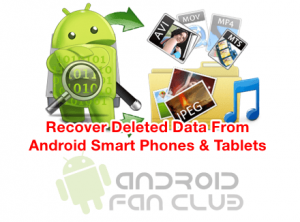
If this is the case with you then there is no need to panic. There are a number of ways through which you can easily recover your data like messages, songs, files, applications, videos, photographs, etc. in this article I am going to explain two simple methods to recover deleted data from your android device.
METHODS OF RECOVERING DELETED DATA FROM ANDROID SMARTPHONES & TABLETS
Following are the two methods using which you can easily recover your deleted files and data from your android device:
- Android Data Recovery Tools / Softwares Using Windows PC
- Android Data Recovery Apps from Google Play Store
I am going to explain each one of them in detail below.
1. ANDROID DATA RECOVERY TOOLS & SOFTWARES FOR WINDOWS
There are a lot of android data recovery softwares available in the market. Some of them are free and you have to buy some. I am going to explain the method of recovering deleted data through software named Dr. Fone for Windows.
Dr.Fone is software that works for both rooted and rooted android devices.
- First of all, download the software from the link given above to access it and install it on your PC.
- Run the software on your PC and connect your android device via USB cable. Please note that your device should be juiced up to 50%.
- Now go to the phone settings and select “About Phone” option to activate “USB Debugging”. Follow the onscreen tips for detailed instructions.
- After allowing USB Debugging option, reconnect your android device with USB cable to your PC.
- The software detects your android device. A start screen will appear. Press the “Start” button to start scanning the data on your android device. Be patient as it may take some minutes to complete. If the software becomes inactive, you can restart the process anytime.
- The screen will appear showing the deleted or lost data from your android device. You can press the “Restore” button at the bottom to recover the data. The data may be restored to hard drive on your PC and you can then transfer the data to your phone.
The method is quite simple though you have to buy the full-fledged software for increased accessibility.
2. ANDROID DATA RECOVERY APPS
There are many data recovery apps available in the Play Store but Dumpster – Recycle bin app is quite a good one in recovering photos, videos and documents from your android device.
- Download the app and install it in your device.
- Run the app and press the “Refresh” button at the top. The app will start scanning your device for deleted data and in a moment it will show you a list of lost files.
- Press the file and keep holding it until you see a menu appear. Select to preview the file and press restore button to restore it on your phone again.
That’s all. You have successfully restored your deleted files to your android device.
Other Top Rated Data Recovery Apps For Android Smartphones & Tablets (root superuser access is required to use following apps.)
1. GT Data Recovery (root)

2. DiskDigger Undelete (root)

3. Hexamob Recovery (root)

Do try these methods and tell us if they are helpful for you or not in the comments below.