Android market has been growing so rapidly and Android ecosystem has gained inevitable importance. There are more than 800,000 Android apps that are part of Google Play Store. Many Windows and Mac users have been dreaming to have all great Android apps on their PC or a Mac computer. Keeping in mind the need of PC and Mac users, few companies started to work on Android emulators that provide Windows and Mac users with an Android environment to simulate the android apps and games. We will have a look at Bluestacks (supports Windows PC and Mac) and WindowsAndroid (only for Windows PC).
Bluestacks App Player (Download)
Native Android emulator require too much system resources and is significantly slow in terms of performance. In the meantime Bluestacks App Player appeared as a beta app for Mac and Windows PC users. That helps to run all android .apk apps. You just have to install Bluestacks app player on your Mac or Windows PC and you’ll be able to play Android HD games and extremely popular apps that are neither available for Windows nor Mac OS.
Related Reading: Extract Android .APK files from Google Playstore on Windows PC
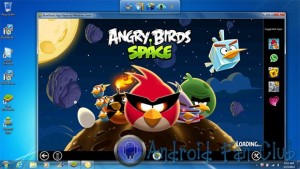
Let’s take some instances of popular android games and apps that you’ll be able to run using BlueStacks App Player on Windows or Mac PC.
Popular Android Games
- Angry Birds
- Temple Run
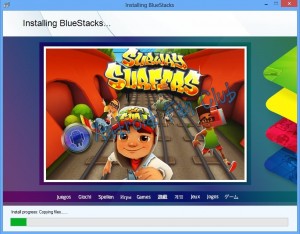
- Subway Surfers
Related Reading: Top Rated HD Racing Games for Android smartphones & Tablets
Popular Android Apps
- Viber
- Google Playstore
Issues Related with Bluestacks:
Majority of the people will face graphic card issues during the installation of bluestacks, in order to avoid them, make sure that you have installed latest video graphics card drivers and the latest version of DirectX. Also note that your system’s VGA card must have OpenGL 2.0+ support.
Majority of the people will face graphic card issues during the installation of bluestacks, in order to avoid them, make sure that you have installed latest video graphics card drivers and the latest version of DirectX. Also note that your system’s VGA card must have OpenGL 2.0+ support.
WindowsAndroid (Download)
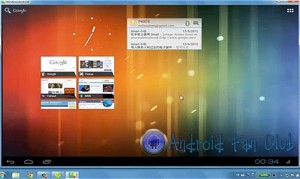
On the other hand Socketeq a Chinese startup company also tried to contribute towards this cause. They have create WindowsAndroid that runs stock Android Ice Cream Sandwich within the Windows kernel. Its not an android simulation app, rather its full fledge Android OS running on your Windows PC. You can run all Android apps and 3D games with WindowsAndroid. The only drawback of WindowsAndroid is that it currently does not support Audio, i.e, you won’t be getting any sound notifications. OpenGL 2.0 support has to be present on your system’s graphic card to run WindowsAndroid. This issue can generally be resolved by installing latest version of graphic drivers in addition to latest version of DirectX.
Let us know in the comments section, which method did you find the best for running Android apps and hd games on your Windows or Mac computer system?